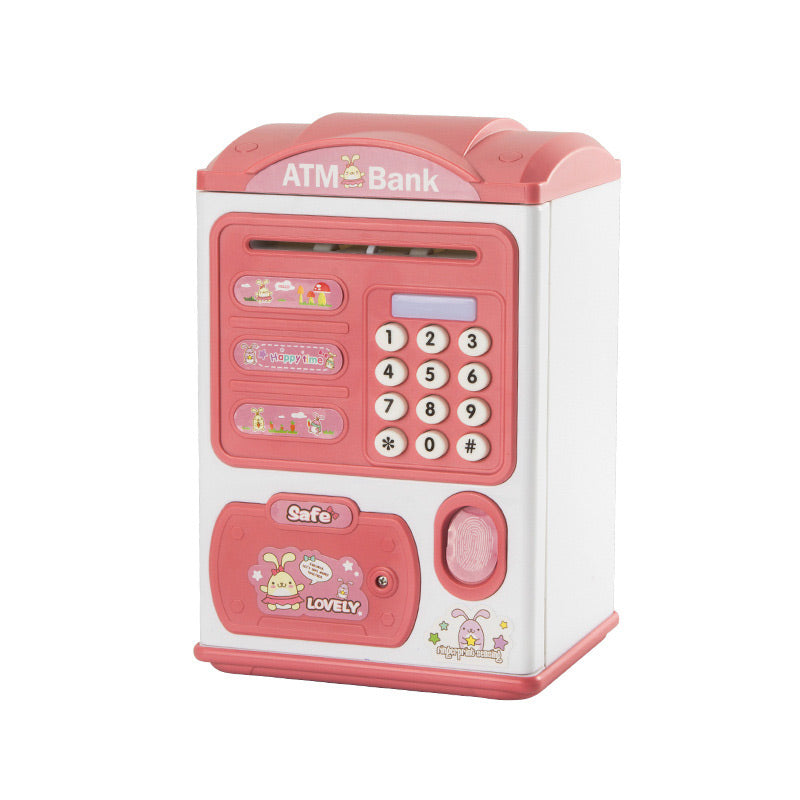
Kids Electronic Savings Bank – Auto Bill Intake, Password & Fingerprint Unlock
Kids Electronic Savings Bank – Auto Bill Intake, Password & Fingerprint Unlock
































BUNDLE & SAVE
Couldn't load pickup availability
-
Ordered
- - -
Order Ready
- - -
Delivered

Kids Electronic Savings Bank – Auto Bill Intake, Password & Fingerprint Unlock
Make Saving Feel Like Part Of The Fun.
Feed in a bill, drop in coins, unlock the door and enjoy lights and music — a playful way to make saving loose cash more interactive.

Turn loose coins and bills into an activity kids can interact with.
Instead of a basic container, this electronic money bank adds movement, lights, sound and unlocking features to the saving routine.
Paper bills roll inward through the automatic bill slot.
Coins have their own slot for quick drop-in saving.
Lights and music add more feedback to the experience.

Deposit. Lock. Open When You're Ready.
Feed paper bills into the automatic slot or drop coins into the coin opening.
Use the electronic locking features between deposits.
Enter the password or use the listed fingerprint unlock function to access the contents.
Two ways to add to the savings.
Paper money and coins use separate openings, so different types of loose cash can go into the same money bank.
Password access plus fingerprint unlock.
The product information lists both a 4-digit password function and a fingerprint unlock function for opening the bank.

Saving gets a little more entertaining.
Insert a paper bill and the mechanism helps draw it into the bank.
Drop coins directly through the separate top opening.
Sound effects add extra feedback during use.
Built-in lighting effects make the interaction more playful.

Made to look more like a toy than a plain money box.
The colorful house-shaped body gives the savings bank a playful look for bedrooms, playrooms or gift giving.

A playful place for loose cash.
Give coins and bills a dedicated place instead of leaving them loose.
A more interactive alternative to a traditional piggy bank.
The colorful house shape doubles as a playful decorative object.
Set a new 4-digit code.
Open the door first.
Press the * key to enter password-setting mode.
Enter the new 4-digit password.
Press the # key to confirm.
Specifications

Before the first deposit.
Can it accept both bills and coins?
Does it automatically pull in paper money?
How do I open the bank?
Can I change the password?
Does it have sound and lights?
What colors are available?
What batteries does it use?
Drop in a coin. Feed in a bill. Watch the savings grow.
Choose Blue or Red and give loose cash a more playful place to go.