


📸 Mini Flip-Screen Digital Camera 🔄 | Frame Your Shot from the Front or Back ✨
📸 Mini Flip-Screen Digital Camera 🔄 | Frame Your Shot from the Front or Back ✨
BUNDLE & SAVE
Couldn't load pickup availability
-
Ordered
- - -
Order Ready
- - -
Delivered

📸 Mini Flip-Screen Digital Camera 🔄 | Frame Your Shot from the Front or Back ✨
Retro mini digital camera
See the Frame.
Then Take the Shot.
Check the preview from behind the camera, or flip the display up to see it from the lens side. The palm-sized camera has a retro body and a short clip-on chain.

Screen down for a view from behind the camera.
Screen flipped up for a forward-facing preview.
Clip-on chain attaches to a bag loop between shots.
01 · Rear-facing preview
Line Up the Scene
from the Back.
You point the camera at the scene and estimate what will fit at the edges of the photo.
Keep the display folded down and use the rear preview to check the subject and edges as you adjust your framing.

02 · Forward-facing preview
In the Photo?
Flip the Screen Up.
With the screen folded down, you check the shot from behind the camera.
Raise the display so the preview faces forward. Check your place in the frame while you're on the lens side of the camera.

03 · A closer look at the front
A Little Light
Above the Lens.
A rectangular front light sits just above the round lens. The close-up shows the light illuminated against the silver-tone trim and orange body.

04 · Find the memory card slot
Turn It Over.
Find the microSD Slot.
With the camera in hand, turn the base toward you to find the narrow slot.
Insert a compatible microSD card into the slot on the base to set up photo storage.

05 · Between photos
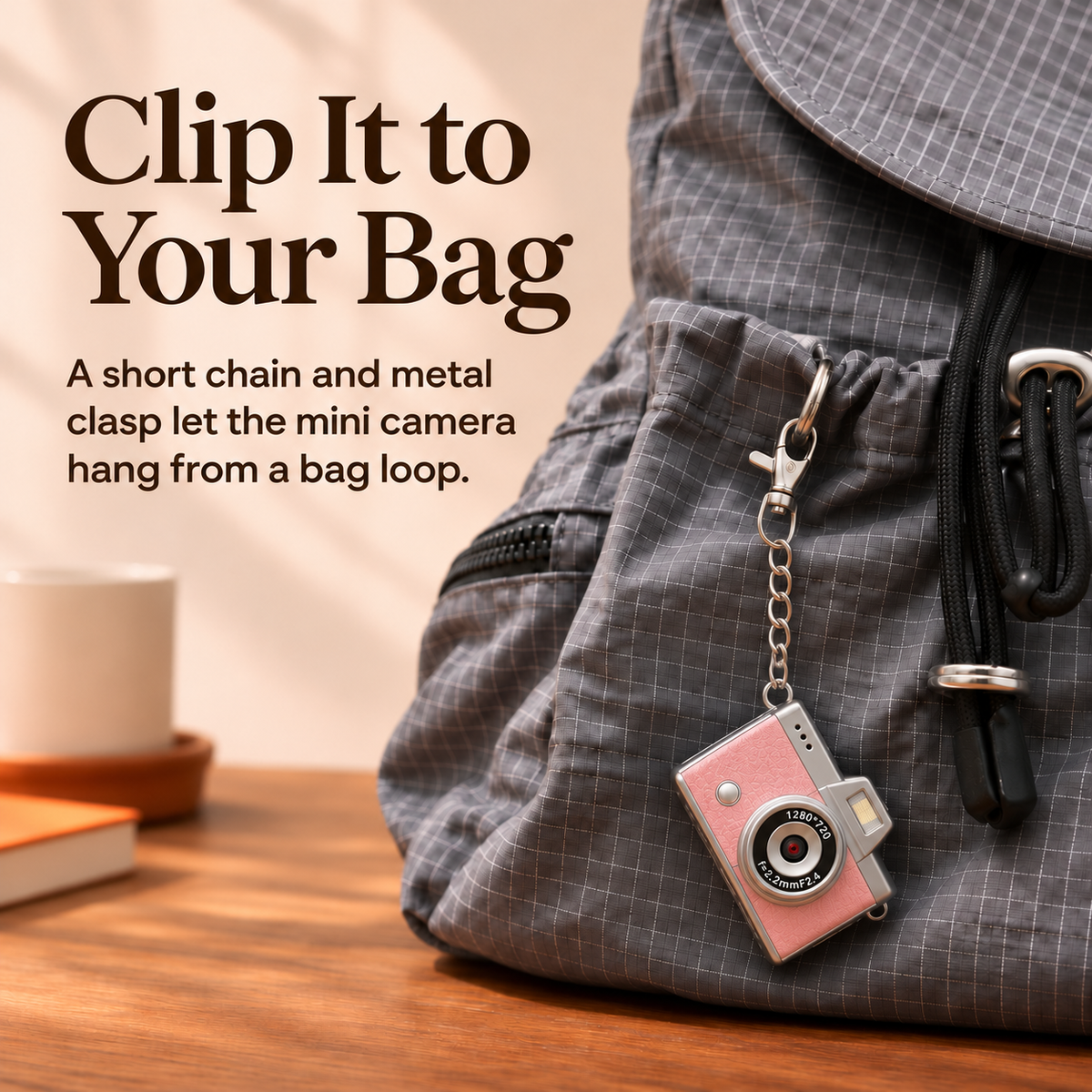
Clip It
to Your Bag.
A small camera can sit among your keys and other things you carry.
Attach the short chain's clasp to a bag loop. The camera hangs within view between shots.

06 · Finishes pictured
Retro Color.
Silver-Tone Trim.
Orange, black, pink, and light gray are shown with the same silver-tone trim, round lens, and short chain.

07 · A look inside the box
From the Insert
to Your Hand.
The orange camera sits in a fitted insert behind a clear cover.
Lift the camera out and hold it in your palm. Position the display for the shot you want.

Design details
The Camera at a Glance.
- Display
- Rear preview when folded down and forward preview when raised
- Memory card slot
- microSD slot on the base
- Front light
- Rectangular light above the round lens
- Carry detail
- Short chain with a clip for a bag loop
FAQ
Before Your First Shot.
How do I frame a scene from behind the camera?
Keep the screen folded down and check the preview on the back while you line up the scene.
How do I see the preview from the lens side?
Flip the display up so it faces forward, then check your position in the preview.
Where does the microSD card go?
Look for the narrow memory card slot on the base of the camera.


You may also like
-

✨ High-Gloss Self-Leveling Epoxy Floor Coating – Transform Garages, Basements, Courtyard & Workshops
Regular price $39.99Regular price $39.99 Sale priceUnit price per$99.9960% -
🔧 Heavy Wheel Fitting Tool – Hub Positioning & Tire Mounting Assistant
Regular price From $29.99Regular price From $29.99 Sale priceUnit price per$49.9940% -
✨🐎 Light-Up Christmas Horse & Foal Set – Warm White LED Holiday Display
Regular price From $59.99Regular price From $59.99 Sale priceUnit price per$79.9925% -
✨ High-Gloss Self-Leveling Epoxy Floor Coating – Transform Garages, Basements, Courtyard & Workshops
Regular price $39.99Regular price $39.99 Sale priceUnit price per$99.9960% -
🔥LAST DAY 49% OFF -🐉 Mechanical Dragon Egg – Black & Crimson Dragon with Folding Wings & Armored Details
Regular price $29.99Regular price $29.99 Sale priceUnit price per$49.9940% -
✨ High-Gloss Marble-LookEpoxy Self-Leveling Floor Coating– Transform Garages, Basements, Courtyard & Workshops
Regular price $39.99Regular price $39.99 Sale priceUnit price per$99.9960%


