🖱️Speak, Click & Work Smarter — AI Voice Wireless Mouse
🖱️Speak, Click & Work Smarter — AI Voice Wireless Mouse
































BUNDLE & SAVE
Couldn't load pickup availability
-
Ordered
- - -
Order Ready
- - -
Delivered

🖱️Speak, Click & Work Smarter — AI Voice Wireless Mouse
What If Your Mouse Could Do More Than Just Point & Click?
This wireless mouse combines everyday cursor control with voice-input shortcuts, compatible translation tools and a built-in status display — helping keep more of your workflow within one device.

Sometimes It's Easier to Say the Sentence Than Type Every Word
Emails, notes, drafts and repetitive text can mean a lot of keyboard time. For compatible workflows, voice input gives you another way to get your thoughts onto the screen.
Use speech as an alternative input method when you have more to say than you want to type.
Speak a draft or note instead of stopping your thought process to type every line.
Dedicated controls keep voice features close to the mouse you're already using.

Connect It. Open Compatible Software. Start Speaking.
The mouse includes dedicated microphone and AI-function controls. Voice-based functions are intended to work together with compatible voice recognition software or drivers on your computer.
Use the supported 2.4G or Bluetooth wireless connection mode.
Make sure the required voice software or driver is compatible with your operating system.
Press the appropriate function button and use the available software features.

From Dictation to Multilingual Workflows
When paired with compatible software, the dedicated controls can support voice-based productivity features such as dictation and available translation functions.
Turn spoken input into text through compatible voice recognition software.
Access supported multilingual tools when available through the paired software.
Continue clicking, scrolling and navigating like a normal wireless mouse.

Less Guessing About What's Happening With Your Mouse
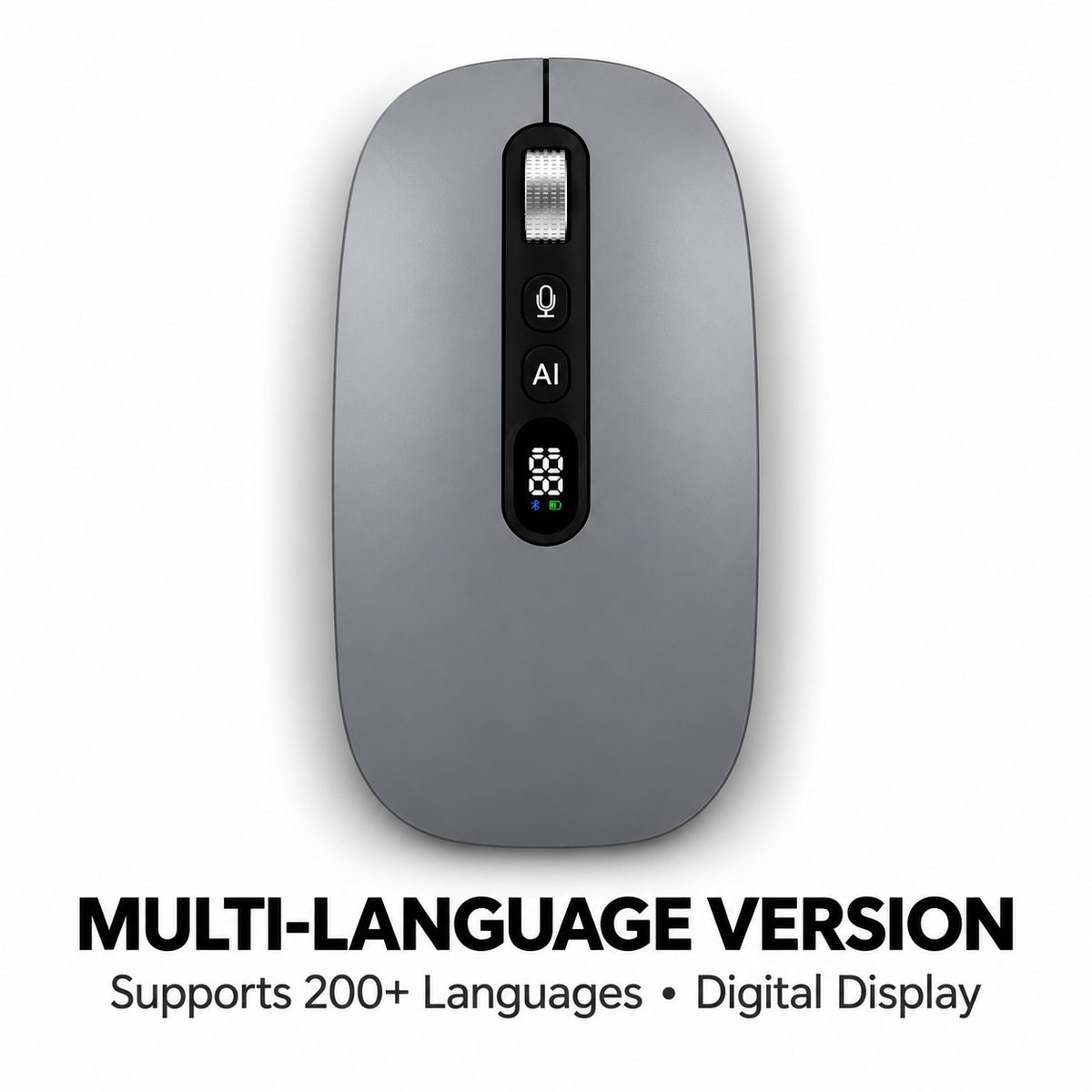
The integrated digital display gives you visible status information without relying entirely on a computer notification.

Low-Profile Shape. Smooth Matte Finish.
Smart features only matter if the mouse still feels practical for everyday navigation. The contoured shell is designed around a natural hand position with a smooth matte exterior.

Familiar Mouse Design With Dedicated Smart Controls
The central control area combines the scroll wheel, dedicated voice and AI-function buttons, and digital display in an easy-to-see layout.
Provides quick access to compatible voice-input functions.
Dedicated controls for supported software-based smart features.
Keeps useful device status information visible on the mouse.

Work. Study. Meet. Travel.
The combination of wireless navigation and optional voice-based tools makes it useful across different computer workflows.
Use it for navigation, documents, emails and compatible dictation tasks.
Keep smart voice and supported translation tools close at hand.
Useful for browsing, notes, research and compatible speech-to-text workflows.
Compact wireless control for laptop-based work away from your desk.

The Details Before You Order
Frequently Asked Questions
Can I use it as a normal wireless mouse?
Yes. In addition to the smart voice controls, it provides normal cursor, click and scroll functions for everyday computer use.
Does voice dictation work directly from the mouse?
The mouse provides voice-related hardware controls, but speech-to-text functions require compatible voice recognition software or drivers on the connected computer.
Does it support translation?
The product is designed to access supported translation functions through compatible software. Available languages and features depend on the software version and system environment.
Does it support both Bluetooth and 2.4G?
Yes. The supplied specifications list both Bluetooth and 2.4G wireless connection modes.
What does the screen show?
The product imagery shows battery, working-mode and connection-status information on the integrated digital display.
What is the optical resolution?
The listed optical resolution is 4000 DPI.
Should I charge it before first use?
Yes. Fully charging the mouse before initial setup is recommended.
What should I check before ordering?
Confirm that your computer operating system is compatible with the required voice recognition software or driver if you plan to use the voice, AI or translation functions.
Click When You Want. Speak When Typing Feels Like Too Much.
Combine everyday wireless mouse control with voice-input shortcuts, supported smart tools and a built-in digital status display.
Check software compatibility above, then choose your preferred color.