🚘2 in 1 Wireless CarPlay Adapter, Plug & Play, Fast Auto Connection, Compatible with Factory CarPlay Cars 2016+
🚘2 in 1 Wireless CarPlay Adapter, Plug & Play, Fast Auto Connection, Compatible with Factory CarPlay Cars 2016+


BUNDLE & SAVE
Couldn't load pickup availability
-
Ordered
- - -
Order Ready
- - -
Delivered

🚘2 in 1 Wireless CarPlay Adapter, Plug & Play, Fast Auto Connection, Compatible with Factory CarPlay Cars 2016+

Cut the Cable From Every Drive
2-in-1 Wireless CarPlay & Android Auto Adapter
Convert your vehicle’s factory wired CarPlay or Android Auto into a wireless connection—so your phone can connect automatically without plugging in a cable every time.
📱 Works with Apple CarPlay and Android Auto
🔄 Automatically reconnects after the first pairing
🔌 Simple plug-and-play installation
🗺️ Keep navigation, music, calls and messages
🎙️ Supports touch, steering-wheel and voice controls
🚘 Compact design keeps the center console cleaner
Stop Plugging In Your Phone Every Time You Start the Car
Short drives, repeated cable connections and tangled cords make factory wired CarPlay less convenient than it should be.

Keep the Factory Experience—Lose the Cable
Your Original CarPlay Functions Stay Within Reach
Continue using compatible navigation, music, phone calls, messages and voice assistance through your vehicle’s existing infotainment system.
🗺️ Wireless Navigation
Access compatible map and navigation apps without connecting your phone to a cable.
🎵 Music and Podcasts
Play supported music, podcasts and audio through the vehicle’s factory sound system.
📞 Hands-Free Calls
Make and receive calls using the controls already built into your vehicle.
🎙️ Voice Assistance
Use compatible voice commands to navigate, call contacts and control supported apps.

One Adapter for Two Phone Systems
Switch Between iPhone and Android More Easily
The 2-in-1 design supports compatible Apple CarPlay and Android Auto systems, making it suitable for households that use different phone platforms.
Apple Users
Wireless Apple CarPlay
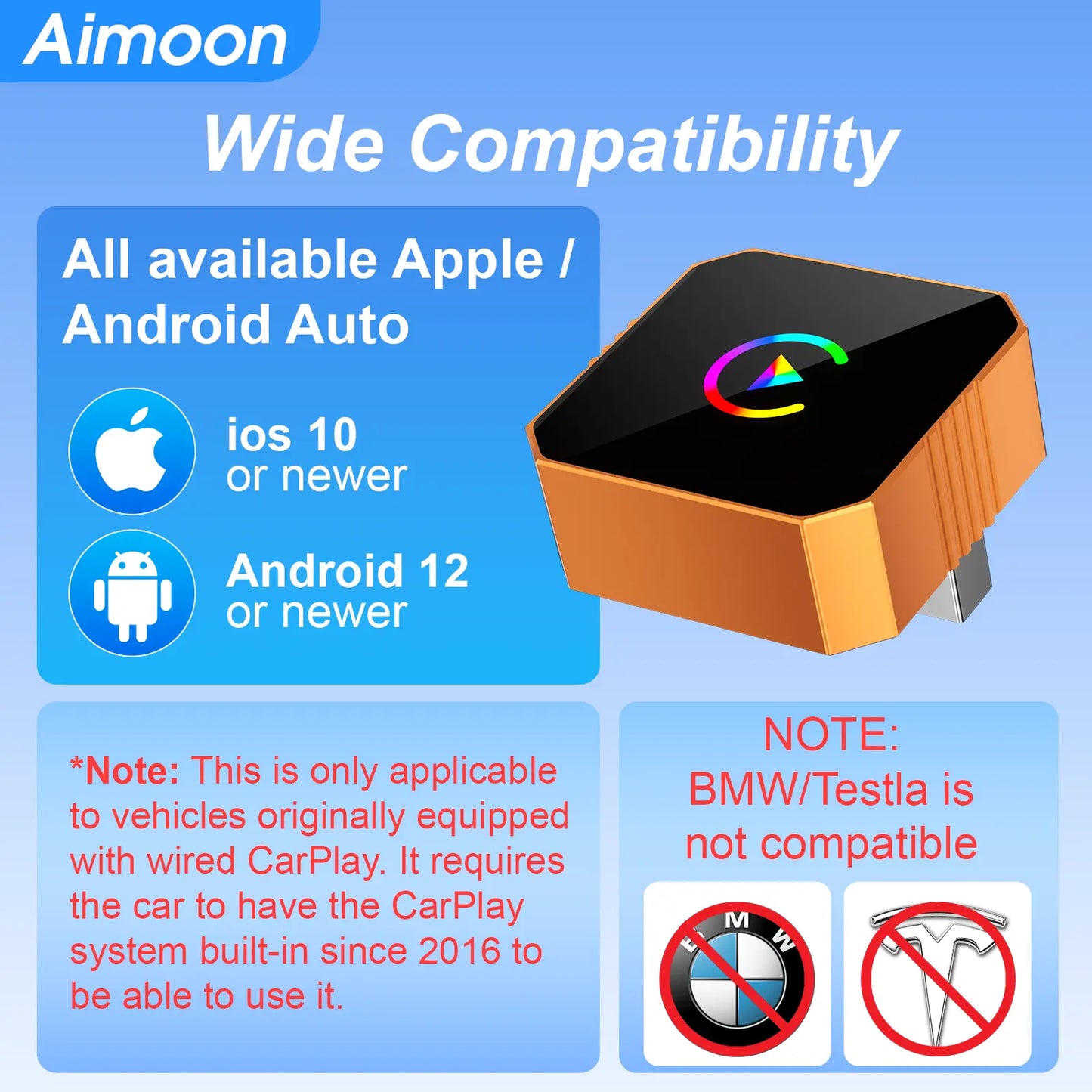
Compatible with supported iPhones running iOS 10.0 or later and vehicles with factory wired CarPlay.
Android Users
Wireless Android Auto
Compatible with supported Android phones running Android 11.0 or later and compatible factory systems.

Pair It Once
Automatically Reconnect on Future Drives
After the first Bluetooth and Wi-Fi pairing, the adapter is designed to reconnect when you return to the vehicle and start the system.
Set Up in 3 Steps
1. Plug It Into the Car
Insert the adapter into the USB port normally used for wired CarPlay or Android Auto.
2. Pair Your Phone
Enable Bluetooth and Wi-Fi, then select the adapter from your phone’s available connection list.
3. Start Driving Wirelessly
Once paired, your compatible CarPlay or Android Auto interface appears on the original vehicle display.

Small Adapter. Cleaner Console.
Remove the Cable Clutter Without Blocking Your Controls
The compact body occupies less space around the dashboard or center console than a long charging and data cable.
Approximately One Inch Wide
Its mini form is designed to remain discreet after installation, helping keep your vehicle interior organized.

Check Compatibility Before Ordering
✅ Your vehicle should already have:
Factory-installed wired CarPlay or a compatible factory wired Android Auto system.
✅ Recommended vehicle year:
2016 or newer. Older vehicles may have infotainment-version compatibility issues.
❌ Not compatible with:
BMW vehicles, Tesla vehicles or cars that do not already support wired CarPlay or Android Auto.
Easy compatibility test:
Connect your phone to the vehicle using a data cable. If factory CarPlay or Android Auto launches, the vehicle may be compatible with the adapter.

Keep Using the Controls You Already Know
Why Drivers Make the Switch
🔌 Stop Repeating the Same Cable Routine
Leave your phone in your pocket or bag instead of connecting it manually for every trip.
🔄 Connect More Conveniently
Automatic reconnection helps make navigation and audio available sooner after startup.
🚘 Preserve the Factory Interface
Use the vehicle display and supported controls instead of replacing the original infotainment system.
📱 Support Two Major Platforms
One compact adapter supports compatible Apple CarPlay and Android Auto users.
Product Specifications
Important Connection Notes
• Confirm that wired CarPlay or Android Auto works before ordering.
• The adapter does not add CarPlay to an unsupported vehicle.
• Keep the adapter away from dash cameras, chargers and other strong interference sources.
• Use a vehicle USB port capable of supplying at least 1A when possible.
• Weak signal areas or electromagnetic interference may cause occasional lag or disconnection.
• Other active Bluetooth devices may sometimes interfere with first-time pairing.
• Firmware updates may be required to improve stability or compatibility.
Frequently Asked Questions
Will this add CarPlay to a car that does not have it?
No. Your vehicle must already support factory wired CarPlay or a compatible wired Android Auto system.
Does it work with both iPhone and Android?
Yes, with supported iPhones running iOS 10.0 or later and supported Android phones running Android 11.0 or later.
Will it reconnect automatically?
After the first successful pairing, it is designed to reconnect automatically when you return to the vehicle.
Can it play YouTube or Netflix on the car screen?
No. It only converts supported CarPlay and Android Auto functions from wired to wireless and does not support video playback.
Does it work with BMW or Tesla?
No. The source listing specifically states that BMW and Tesla vehicles are not supported.
How do I return to wired CarPlay?
Unplug the adapter and connect your phone normally using the original data cable.
What should I do if the connection lags or disconnects?
Check the USB power output, move the adapter away from interference sources, disconnect unnecessary Bluetooth accessories and update the adapter firmware if available.
Start Every Drive Wirelessly
Plug It In Once. Leave the Cable Behind.
Upgrade a compatible factory wired system with automatic wireless access to navigation, music, calls and the controls you already use.