Warmth where your sleeve ends.
Give the hand on your mouse a cozy spot of its own. The ivory arch sits over your usual mouse, so you can keep clicking, scrolling and reaching for the keyboard.

Still pulling your cuff over your knuckles?
It helps until you need your fingertips for the next click. The curved cover shelters your mouse hand while your fingers stay free to work.

See where your hand goes.
Look through the front to see the space above your knuckles. The overhead view shows how the arch sits beside a keyboard.


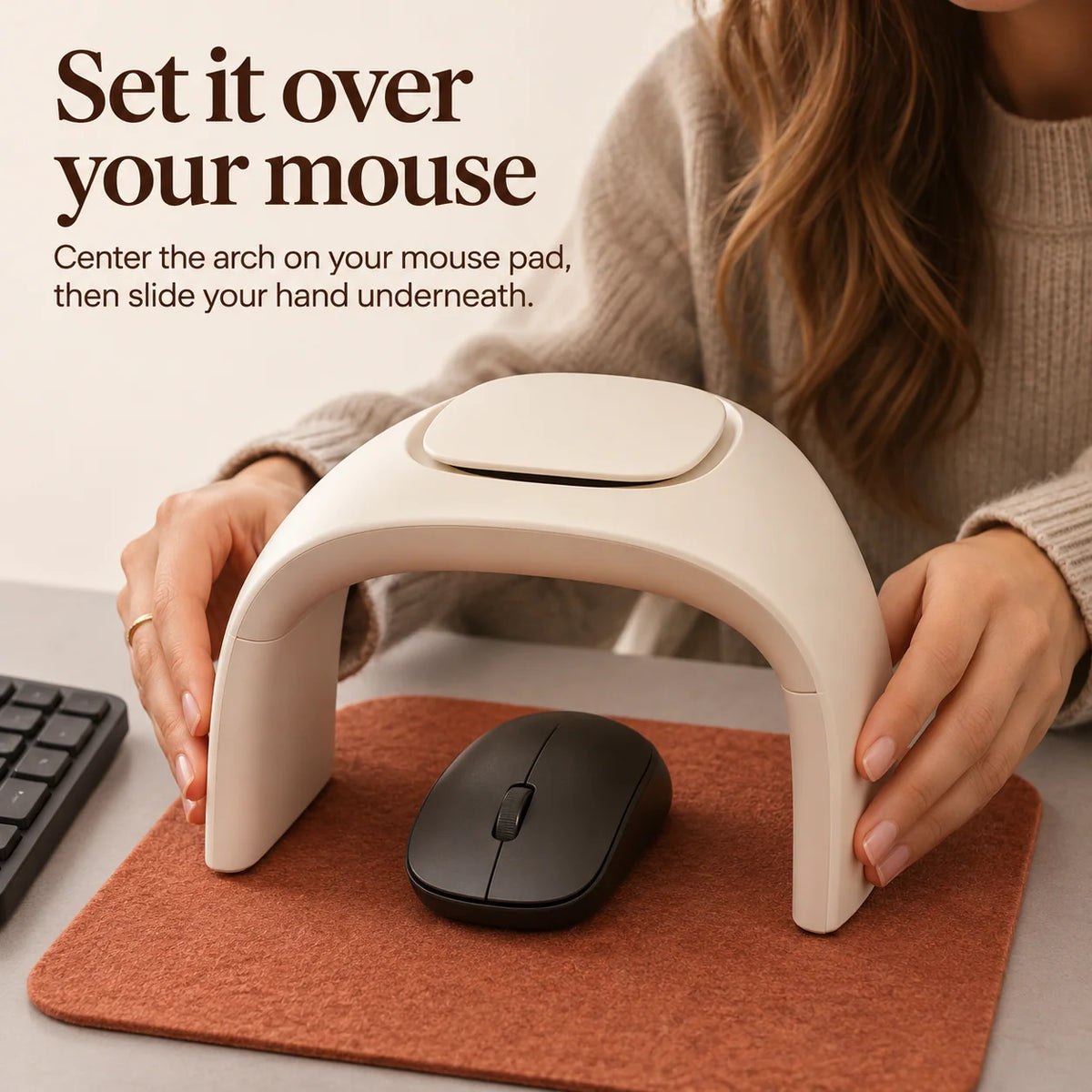
Start where your mouse naturally rests.
Center the arch over that spot on your mouse pad. Try your usual click and drag, then adjust the arch until your hand has room for the movements you use most.

For the desk you come back to.

The chilly window seat
Keep the window desk you love. Give your mouse hand its own cozy corner when the shared office feels cool.

A softer desktop detail
Rounded corners and matte ivory sit quietly alongside a wooden desk, a felt pad or your favorite ceramic mug.
The desk details
- Product type
- Desktop hand warmer for the mouse area
- Shape
- Raised arch with an open front and rounded edges
- Placement
- On the desk or mouse pad, positioned over your mouse
- Finish
- Matte ivory
Will it suit your desk?
What if I make wide mouse movements?
Notice how far your mouse travels during a typical drag. The two sides of the arch sit on the desk, so your mouse and hand need room to move between them.
How would I use it with a laptop?
If you use a separate mouse, place the warmer over that mouse beside your laptop. You can move your hand through the open front whenever you switch back to typing.
For the one who always has cold hands.
If someone you love starts every workday in a sweater with a mug between their hands, you already know whose desk this belongs on.
Shop the desktop hand warmer ↑