


📏4-in-1 Scriber Marking Line Ruler
📏4-in-1 Scriber Marking Line Ruler

BUNDLE & SAVE
Couldn't load pickup availability
-
Ordered
- - -
Order Ready
- - -
Delivered

📏4-in-1 Scriber Marking Line Ruler
4-IN-1 SCRIBER MARKING RULER
Measure. Align.
Mark With Confidence. 📏
Combine layout, scribing, angle adjustment and positioning in one compact woodworking tool designed for cleaner, more repeatable marking.

ONE TOOL • FOUR EVERYDAY FUNCTIONS
Spend Less Time Switching Tools.
Use the crosspiece as a repeatable square reference against an edge.
Guide consistent vertical reference lines across suitable workpieces.
Establish straight horizontal layout references with less guesswork.
Set a repeatable offset and transfer the same reference along a panel.
4 TOOLS IN 1
From Square Layout to Repeatable Scribing.
Reconfigure the same ruler for several common woodworking layout tasks instead of reaching for a different guide every few minutes.

Reference a straight edge for perpendicular layouts.
Guide marking lines along upright workpieces.
Create repeatable horizontal lines.
Maintain a consistent marking reference.
ADJUSTABLE ANGLE CONTROL
Set the Reference Angle.
Lock It in Place.
Rotate the ruler around the center joint, align it with the angle scale and tighten the large locking knob before transferring the reference to your workpiece.

📐 0–90° Angle Scale
Set different reference angles for straight and angled woodworking layouts.
🔒 Large Locking Knob
Tighten the center knob after positioning to help maintain the selected reference.
45° Reference
Useful for common diagonal and miter-style layout references.
📏 Adjustable Layout
Move beyond a fixed 90-degree square when the project requires another angle.
Locking the ruler at the required reference angle helps reduce the need to re-establish the same layout repeatedly.
STRAIGHT, CLEAN MARKING
Give Your Scriber a Stable Guide.
Use the long ruler edge and adjustable guide point to support straighter, more repeatable marking lines across suitable panels and boards.

▬ Stable Guide Rail
The straight ruler edge gives the marking tool a consistent surface to follow.
↔ Repeatable Lines
Maintain the same reference position as you move along a compatible workpiece.
🎯 Adjustable Tracking
The sliding guide component helps establish the desired marking offset.
✏️ Layout Before Cutting
Create visible reference lines before drilling, trimming or cutting.
MADE FOR WOODWORKING TASKS
One Layout Tool for More Shop Jobs.
Keep it nearby for cabinet work, panel marking, edge references and general shop measuring where repeatable layout matters.

Establish reference lines on cabinet panels and drawer components.
Lay out straight and angled lines on suitable boards.
Set the ruler joint before transferring angled references.
Maintain a repeatable reference from a workpiece edge.
Keep one compact layout tool ready for everyday projects.
Mark suitable guide lines before cutting or trimming.
Useful for home woodworking and furniture projects.
Reuse the same positioning reference across multiple pieces.
PRODUCT DIMENSIONS
Compact Enough for the Shop.
Long Enough for Useful Layout Work.
The current product-size graphic shows a long ruler body with a 200 mm crosspiece, adjustable center joint and approximately 5 mm thick aluminum structure.

The current graphic also shows an approximately 50 mm / 1.96 in crosspiece depth.
PRECISION SET • READY TO WORK
Clear Scale.
Quick Adjustment. Sturdy Body.
The red aluminum body combines high-contrast markings with large adjustment controls designed to stay easy to see and operate around the workshop.
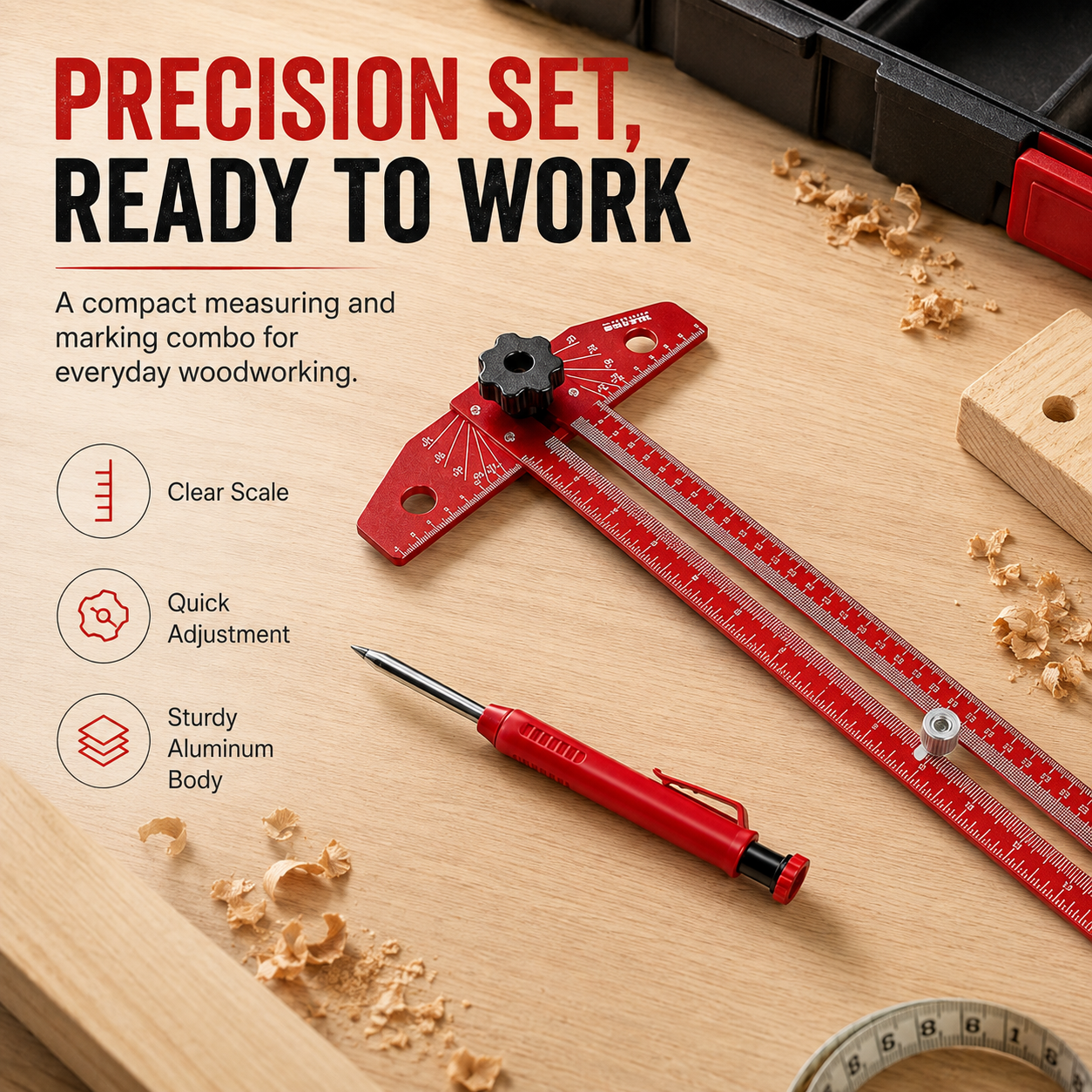
📏 Clear Scale Markings
White markings contrast strongly against the red ruler body for easier visual reference.
⚙️ Quick Adjustment
Large knobs make angle and guide-position changes easier to control.
◈ Aluminum Body
Current product imagery identifies the main ruler construction as sturdy aluminum.
🔴 High-Visibility Finish
Bright red finish stands out clearly against common wood surfaces.
ACCURACY YOU CAN SEE
Set the Reference.
Follow the Line.
A layout tool does its best work before the saw or drill ever touches the material — helping you establish clearer references before committing to the next step.

4-in-1 Function
Combine square layout, vertical and horizontal scribing, and positioning work.
Adjustable Angle
Rotate and lock the ruler when the layout requires something other than a fixed square.
Precise Scribing
Use a physical guide to improve consistency compared with freehand marking.
Workshop Essential
A compact layout accessory for repeated measuring and marking jobs.
SIMPLE WORKFLOW
Set. Lock. Mark.
Position the crosspiece or adjustable ruler against the workpiece according to the layout you need.
Set the required angle or marking offset and tighten the relevant knob.
Guide your pencil or compatible scriber along the ruler to create the reference line.
PRODUCT DETAILS
Specifications
| Product Type | 4-in-1 Scriber / Layout Marking Ruler |
| Main Functions | T-Square Layout / Vertical Scribing / Horizontal Scribing / Positioning Guide |
| Angle Adjustment | Approx. 0–90° Scale Shown |
| Angle Lock | Large Center Locking Knob |
| Positioning | Sliding Guide / Adjustable Reference Point |
| Main Body | Aluminum / Aluminum Alloy — Seller Imagery & Description |
| Finish | Red With High-Contrast White Scale Markings |
| Maximum Length Shown | Approx. 480 mm / 18.89 in |
| Main Ruler Length Shown | Approx. 405 mm / 15.94 in |
| Crosspiece Width | Approx. 200 mm / 7.87 in |
| Crosspiece Depth | Approx. 50 mm / 1.96 in |
| Body Thickness | Approx. 5 mm / 0.19 in |
| Suggested Uses | Woodworking / Cabinet Layout / Panel Marking / Angle Layout / Edge Marking / DIY Projects |
| Power Required | No |
| Scriber / Marking Tool | Shown in Current Product Imagery — Confirm Final Package Configuration |
BETTER LAYOUT STARTS WITH A CLEAN TOOL
Keep the Scale Easy to Read.
🧽 Wipe Away Dust
Remove sawdust and debris from the ruler, slots and adjustment areas after use.
⚙️ Keep Joints Clear
Prevent chips and debris from collecting around the center adjustment mechanism.
📏 Protect the Edges
Avoid impacts that could bend the ruler edges used as marking references.
🧰 Store Flat
Keep the tool in a drawer, cabinet or protected tool storage area when the project is finished.
QUICK ANSWERS BEFORE ORDERING
Frequently Asked Questions
The current product imagery lists T-Square Layout, Vertical Scribing, Horizontal Scribing and Positioning Guide.
Yes. The head rotates around the center joint and the current scale graphic shows adjustable reference angles across approximately 0–90°.
A large center locking knob is used to secure the adjustable ruler after the desired position is selected.
Yes. T-Square Layout is one of the four functions shown in the current product imagery.
The sliding positioning guide and long ruler edge are designed to support repeatable scribing and offset marking on suitable workpieces.
The current imagery describes the ruler as having a sturdy aluminum body, while the page text identifies an aluminum-alloy ruler body.
The current product-size image shows approximately 480 mm / 18.89 inches maximum length and approximately 405 mm / 15.94 inches for the main ruler section.
The current graphic shows approximately 200 mm / 7.87 inches.
The current product graphic shows approximately 5 mm / 0.19 inches.
It is shown for woodworking, cabinet layout, panel marking, angle layout, edge marking and general workshop projects.
No. It is a fully mechanical measuring and marking tool.
A red marking tool is shown in the current product images, but the live text does not clearly confirm the final package contents. Verify the selected SKU before making an inclusion claim.
CLEANER LAYOUT STARTS BEFORE THE CUT
Set the Reference.
Mark With Confidence. 📏
Bring T-square layout, adjustable angle references and repeatable scribing into one compact woodworking tool.
Choose Your Ruler →


